
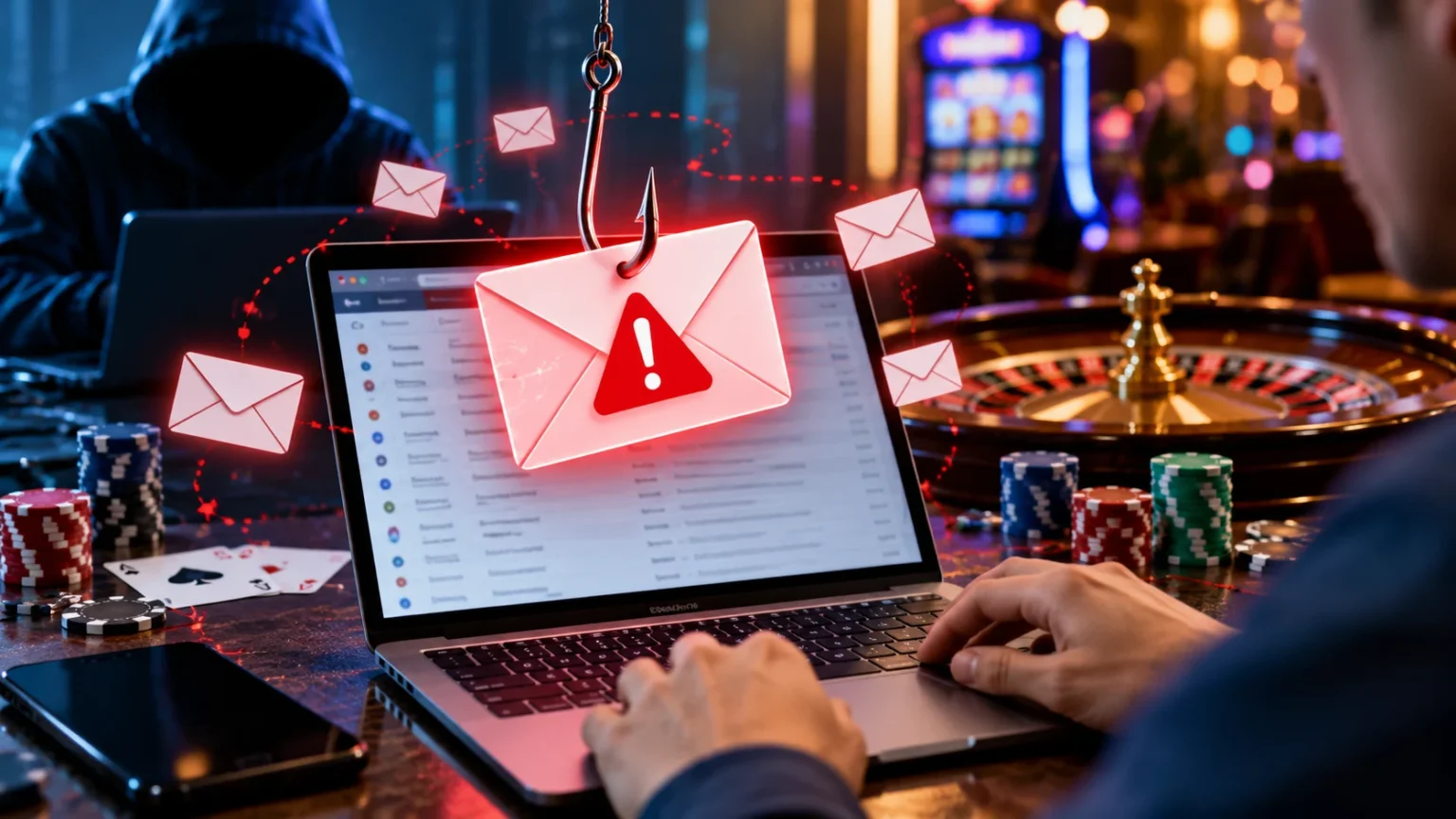
Online phishing scams have become a common cybersecurity concern, affecting people who use email, online accounts, and digital payment services. Cybercriminals often create convincing messages that appear to come from familiar companies, including online casino platforms. These fraudulent emails may attempt to steal passwords, financial information, or personal details by tricking recipients into visiting malicious websites.
Understanding how to recognize casino phishing emails is important for protecting your digital identity and avoiding online fraud. Scammers frequently imitate legitimate casino brands, customer support representatives, and account security teams. They may use urgent warnings, fake promotional offers, or misleading payment notifications to persuade recipients to act without checking whether a message is genuine.
Fortunately, many phishing emails contain recognizable warning signs. Suspicious sender addresses, unusual links, unexpected attachments, and requests for sensitive information can help reveal potential scams. This guide explains common casino phishing techniques, practical ways to identify fraudulent messages, and essential steps for keeping your personal information secure.
What Are Casino Phishing Emails?
Casino phishing emails are fraudulent messages designed to impersonate online gambling companies or related services. Their purpose is usually to trick recipients into revealing confidential information, visiting harmful websites, or opening malicious attachments. These messages may look professional because scammers copy familiar branding elements, customer service language, and account notification formats.
A phishing email might claim that an account has been suspended, a payment requires verification, or a security problem needs immediate attention. The message often includes a link that directs the recipient to a fraudulent website. Such websites may imitate genuine login pages while collecting information entered by unsuspecting visitors.
Casino-related phishing is part of a broader category of online impersonation scams. Similar techniques are used against banks, shopping platforms, delivery companies, and social media services. Understanding the basic structure of phishing attacks can help people recognize suspicious communications regardless of the company or service being impersonated.
Why Scammers Send Fake Casino Emails
Scammers send casino phishing emails because they hope recipients will respond to messages involving money, account security, or unexpected rewards. Financial notifications can create urgency, especially when an email claims that funds are unavailable or a transaction has failed. Criminals exploit these concerns to encourage people to act quickly.
Another motivation is obtaining usernames, passwords, and other account credentials. When someone enters login information into a fraudulent website, the information may be captured and misused. Attackers sometimes attempt to reuse stolen passwords on unrelated services, making password reuse an additional security concern.
Fraudulent emails may also be used to collect identity information, distribute malicious software, or initiate further scams. A single message can contain several deceptive elements designed to appear credible. Recognizing these motivations helps recipients understand why unexpected account alerts or financial claims deserve careful verification.
1. Check the Sender’s Email Address Carefully
One of the first steps in recognizing a casino phishing email is examining the sender’s actual email address. Fraudulent messages may display a familiar casino name while originating from an unrelated domain. The visible sender name alone is not reliable evidence that a message came from the company it claims to represent.
Scammers sometimes use addresses containing extra characters, unusual domain endings, or misspellings that resemble legitimate brands. For example, a message may use a lookalike domain rather than the company’s verified website domain. Small differences can be difficult to notice when reading quickly, particularly on mobile devices.
However, a familiar-looking sender address does not guarantee authenticity because email information can sometimes be spoofed. Recipients should consider the sender address alongside the message content, links, and circumstances. When uncertain, use an independently verified contact method rather than replying directly to the suspicious email.
2. Watch for Urgent Account Suspension Warnings
Phishing emails frequently create a sense of urgency by claiming that an account will be suspended or permanently closed. The message may insist that immediate verification is necessary to prevent losing access. Such warnings are designed to make recipients react emotionally rather than carefully evaluate the request.
A fraudulent message might claim that unusual activity has been detected or that identity verification must be completed within a short period. It may also threaten penalties if the recipient ignores the instructions. These pressure tactics are common in phishing because urgency reduces the time people spend checking suspicious details.
A genuine security notification can also be urgent, so threatening language alone does not prove fraud. The safer approach is to avoid using links within an unexpected email and independently verify the claim. Taking a moment to investigate can prevent attackers from turning a fabricated emergency into a real security problem.
3. Identify Suspicious Links and Fake Websites
Suspicious links are among the most important warning signs of a phishing email. Scammers often include buttons or text links that appear to lead to account verification pages. In reality, the destination may be an imitation website designed to collect passwords, payment details, or other personal information.
The visible link text may not match the actual destination address. On desktop devices, hovering over a link can sometimes reveal its destination without opening it. However, shortened URLs, redirects, and deceptive domain names can make visual inspection difficult, and hovering is not a complete security check.
A website using HTTPS is not necessarily legitimate because fraudulent sites can also obtain security certificates. Rather than relying on a padlock symbol or professional appearance, verify the website’s actual domain independently. Avoid opening links from unexpected account warnings when the destination cannot be confidently established.
4. Be Careful With Unexpected Bonus and Prize Messages
Unexpected prize notifications are another common theme in casino-related phishing scams. A fraudulent email may claim that the recipient has won a reward or qualifies for a special financial benefit. These claims are designed to attract attention and encourage recipients to visit websites or provide personal information.
A particularly suspicious message may announce a prize even when the recipient has never registered with the company. Other emails may request an upfront processing payment or identity information before releasing the supposed reward. Such conditions are important warning signs because they can indicate an attempt to collect money or sensitive data.
Unsolicited gambling-related promotions should be treated cautiously, especially when their origin cannot be verified. Recipients do not need to interact with an unfamiliar gambling platform to investigate an unexpected claim. Deleting the message or reporting it as phishing is often the most appropriate response when clear warning signs appear.
5. Look for Requests for Passwords and Security Codes
Phishing emails often attempt to collect sensitive information by pretending to conduct routine security checks. A message may ask recipients to confirm their password, provide a one-time verification code, or submit account recovery details. These requests are especially concerning because such information can allow unauthorized access.
Legitimate companies generally should not request passwords or one-time authentication codes through ordinary email replies. A verification code is intended for the person completing a genuine authentication process. Sharing it with someone who contacts you unexpectedly can undermine the protection provided by multifactor authentication.
Never disclose passwords, recovery codes, or authentication details in response to an unsolicited message. If an account security concern appears legitimate, contact the service through an independently verified channel. Keeping authentication information private helps prevent unauthorized access even when an email looks convincing.
6. Recognize Poor Grammar and Unusual Formatting
Many phishing emails contain spelling mistakes, awkward wording, or inconsistent formatting that can reveal their fraudulent nature. Scammers sometimes produce large quantities of messages without carefully reviewing their content. As a result, recipients may notice unusual sentence structures, inconsistent capitalization, or confusing instructions.
However, modern phishing messages can also be professionally written and visually convincing. Attackers may use polished templates and automated writing tools to imitate legitimate corporate communications. Therefore, an email with perfect grammar, familiar logos, and professional formatting should not automatically be considered trustworthy.
Formatting problems are best treated as supporting warning signs rather than definitive proof of fraud. Compare the language, sender information, and requested action with what you would reasonably expect from the claimed organization. A combination of suspicious details provides stronger evidence than a single spelling mistake.
7. Avoid Unexpected Attachments in Casino Emails
Unexpected email attachments can create cybersecurity risks because they may contain malicious software or deceptive documents. Fraudulent casino emails sometimes claim that attached files contain payment receipts, account statements, security reports, or verification forms. The purpose may be to persuade recipients to open unfamiliar files without questioning their origin.
Certain document formats can contain harmful content, while other attachments may attempt to redirect users toward fraudulent websites. Even files that appear ordinary can be dangerous when they come from untrusted sources. A familiar company logo or convincing filename does not guarantee that an attachment is safe.
Avoid opening unexpected attachments until the sender and purpose have been independently verified. If you did not request a document or recognize the related transaction, treat the message cautiously. Updated device security features and reputable protective software can provide additional protection, but careful judgment remains important.
8. Check for Fake Payment and Withdrawal Notifications
Financial notifications are particularly effective phishing themes because they can create immediate concern. A fraudulent casino email may claim that a withdrawal has failed, a deposit requires confirmation, or a payment method has been blocked. These claims may pressure recipients to provide sensitive financial information.
Scammers may direct recipients toward fake payment verification pages that resemble genuine account interfaces. Such pages can request card information, banking credentials, passwords, or identifying documents. Entering details into these forms may expose personal information to criminals even when the website appears professional.
Unexpected transaction notifications should be verified through independently established channels. Check relevant financial statements or account records directly rather than following instructions from the suspicious message. When an unfamiliar charge appears, contacting the financial institution promptly can help determine the appropriate next steps.
9. Be Suspicious of Fake Customer Support Emails
Phishing messages often impersonate customer support employees to appear helpful and trustworthy. An email may claim to come from a security specialist, payment representative, or account manager. It might offer assistance with a fabricated problem while requesting information that legitimate support teams should not need.
Some scammers create realistic-looking signatures containing employee names, company logos, and contact details. Others use friendly language to encourage continued communication before introducing sensitive requests. These methods can make the interaction feel ordinary even when the underlying purpose is fraudulent.
A professional signature does not establish that the sender is legitimate. Do not assume that a phone number or contact address included in a suspicious email belongs to the real company. Instead, use independently verified support information when you need to confirm whether an unexpected message is authentic.
10. Recognize Emails Designed to Create Fear or Excitement
Phishing attacks frequently rely on emotional manipulation rather than technical sophistication. Fear-based messages may warn about unauthorized access, financial loss, or account closure. Excitement-based messages may promise unexpected rewards, exclusive opportunities, or unusually favorable financial outcomes.
Both approaches attempt to direct attention away from careful verification. When people feel pressured or excited, they may overlook suspicious links, strange sender addresses, or requests for confidential details. Recognizing this emotional pressure is an important step toward maintaining control over online decisions.
An unexpected email does not require an immediate response simply because it uses dramatic language. Taking time to inspect the message and verify its claims can prevent costly mistakes. Cautious behavior is especially important when an email involves payments, identity documents, login credentials, or other sensitive information.
11. Understand Email Spoofing and Brand Impersonation
Email spoofing occurs when attackers manipulate message information to make an email appear to originate from another sender. This technique can make fraudulent communications look more credible, particularly when they imitate familiar organizations. However, modern email authentication systems can help receiving services detect some forms of sender impersonation.
Brand impersonation goes beyond the sender address and may include copied logos, colors, layouts, and familiar company language. A phishing message can closely resemble a genuine account notification while containing fraudulent links or requests. Visual similarity is therefore insufficient evidence of authenticity.
Email authentication technologies such as SPF, DKIM, and DMARC help organizations reduce certain impersonation risks. However, these protections do not eliminate every phishing method, particularly when scammers use lookalike domains. Recipients should continue verifying unusual requests independently even when a message appears to have passed ordinary email checks.
12. What to Do When You Receive a Casino Phishing Email
When you receive a suspicious casino-related email, avoid clicking links, opening attachments, or replying with personal information. You do not need to follow the sender’s instructions to determine whether the message is legitimate. Taking no immediate action is often safer than responding to an unexpected security warning.
Most major email services include reporting features that allow users to mark messages as phishing or spam. Reporting suspicious messages helps the provider identify potential threats and improve filtering. After reporting, you can delete the message without engaging with the sender or visiting the linked website.
If the message claims to concern an account you actually recognize, verify the issue using a previously trusted communication channel. Avoid copying contact information directly from the suspicious email. Independent verification helps ensure that an attacker does not control both the warning and the supposed method for resolving it.
13. What Happens If You Click a Phishing Link?
Clicking a suspicious link does not always mean that personal information has been stolen. The risk depends on the destination, device security, and whether additional actions occur. Some links simply open fraudulent websites, while others may attempt to exploit software vulnerabilities or collect information entered by visitors.
If you accidentally open a suspicious page, avoid entering information, downloading files, or approving unexpected requests. Close the page and check whether your browser or security software detected unusual activity. Keeping your browser and operating system updated can also help reduce certain technical risks.
If you entered a password or other sensitive information, additional protective action may be necessary. Change the affected password through the legitimate service, review relevant account activity, and update reused passwords elsewhere. When financial information is involved, contact the appropriate financial institution for assistance.
14. How to Protect Your Email Account From Phishing
Strong email security can reduce the potential damage caused by phishing attempts. Use a unique password for your email account and enable multifactor authentication whenever available. These measures make unauthorized access more difficult, particularly when a password has been exposed through another website or service.
Keeping devices, browsers, and security applications updated is another useful protective practice. Software updates often address vulnerabilities that attackers may attempt to exploit. Built-in email filtering and browser safety features can also identify some suspicious messages, although no automated system detects every threat.
Regularly reviewing account recovery information and security notifications can help identify unexpected changes. Avoid reusing passwords across unrelated services because one compromised account may otherwise affect several others. A password manager can make it easier to maintain unique credentials without memorizing every password individually.
15. How to Report Casino Phishing Emails
Reporting phishing emails can help reduce the spread of fraudulent messages and protect other internet users. Most email platforms provide a dedicated phishing-reporting option within the message menu. Using this feature allows the provider to analyze suspicious communications and improve its automated detection systems.
When reporting a suspicious message, avoid forwarding it casually to friends or family members because doing so can spread malicious links. If you need to warn someone, describe the scam without encouraging them to open the original message. Formal reporting channels are generally more appropriate for handling potentially dangerous emails.
Serious incidents involving financial fraud, identity theft, or account compromise may also need to be reported to relevant authorities. Reporting procedures differ by country and organization, so use verified official channels. Preserving relevant transaction information or incident details can assist legitimate investigations when necessary.
16. How to Teach Family Members to Recognize Phishing Emails
Phishing awareness is useful for anyone who regularly uses email, including people who have never interacted with online gambling services. Fraudulent messages are often distributed widely, meaning recipients may receive casino-themed scams without having an associated account. Understanding this helps families recognize that an unexpected message may be randomly targeted.
Simple conversations about suspicious links, urgent demands, and requests for passwords can improve everyday digital awareness. Encourage family members to question messages that demand immediate action or promise unusual financial benefits. Practicing careful verification is generally more useful than trying to memorize every possible phishing message format.
Children and teenagers should be encouraged to ignore unsolicited gambling-related messages and tell a trusted adult when an email requests money or personal information. Adults can also benefit from reviewing common scam tactics together. Creating an environment where people feel comfortable asking questions can help prevent avoidable cybersecurity mistakes.
17. Common Myths About Casino Phishing Emails
One common misconception is that phishing emails are always poorly written or visually unprofessional. In reality, fraudulent messages can use convincing branding, clear language, and realistic layouts. A polished appearance may make an email seem credible, but it does not establish that the sender or linked website is trustworthy.
Another myth is that phishing only affects people who already have accounts with the impersonated company. Scammers frequently send messages to large groups of recipients without knowing whether they use a particular service. Receiving an unexpected casino email therefore does not necessarily mean that someone has created an account using your address.
Some people also assume that antivirus software or spam filters provide complete protection. These tools are helpful, but sophisticated phishing messages may still reach an inbox. Maintaining careful habits, using unique passwords, and independently verifying suspicious requests remain important even when modern security tools are enabled.
18. Building Long-Term Awareness Against Online Phishing
Recognizing phishing becomes easier when people develop consistent habits for reviewing unexpected emails. Checking sender details, questioning urgent instructions, and avoiding unfamiliar links can become part of everyday digital behavior. These practices apply to casino-related messages as well as fraudulent communications impersonating banks, retailers, and technology companies.
Cybercriminals continually adapt their methods, making ongoing awareness important. New scams may involve realistic account notifications, convincing website designs, or personalized messages based on publicly available information. Understanding the underlying manipulation techniques helps users identify suspicious requests even when the specific wording or appearance changes.
Long-term protection depends on combining careful decision-making with appropriate technical safeguards. Secure authentication, updated software, trustworthy communication channels, and prompt reporting all contribute to a safer online experience. Rather than relying on one protective measure, users benefit from developing several practical habits that work together.
Conclusion
Understanding how to recognize casino phishing emails is an important part of protecting personal information and maintaining online security. Fraudulent messages often imitate legitimate companies while using urgent account warnings, suspicious links, fake payment notifications, or unexpected rewards. Recognizing these warning signs can help recipients avoid unnecessary financial and privacy risks.
The safest response to an unexpected casino-related email is to avoid interacting with suspicious links, attachments, and requests for sensitive information. Independently verifying important claims provides greater protection than trusting familiar branding or professional-looking messages. Strong passwords, multifactor authentication, and updated security software can provide additional safeguards.
Phishing awareness is a valuable skill that extends beyond any single industry or type of online service. By questioning unusual messages, reporting suspected scams, and protecting confidential information, people can reduce their exposure to common online threats. Developing these habits helps create a more secure and confident digital experience.
Frequently Asked Questions (FAQs)
1. How can I tell if a casino email is phishing?
Look for suspicious sender addresses, unexpected links, urgent threats, unusual attachments, and requests for passwords or financial information. Verify any important claim independently rather than following instructions in the email.
2. Why am I receiving casino emails if I do not gamble?
Scammers often send bulk emails to randomly collected addresses without knowing whether recipients use gambling services. Receiving such messages does not necessarily indicate that you have an online casino account.
3. Is it dangerous to click a casino phishing link?
Clicking a phishing link can expose you to fraudulent websites or other security risks. If you open one accidentally, avoid entering personal information, downloading files, or approving unexpected requests.
4. What should I do if I shared my password with a phishing website?
Change the affected password immediately through the legitimate service, update any reused passwords, and enable multifactor authentication. Review account activity and contact appropriate support services if unauthorized access is suspected.
5. Can phishing emails steal financial information?
Yes, phishing emails can direct recipients to fake websites that request payment details, banking credentials, or identifying information. Avoid entering sensitive details through unexpected email links and verify financial concerns independently.